
START HERE · REVIEWED OCTOBER 23, 2026
Your Brenda’s Desk workspace
See how Brenda’s Desk, your AI receptionist, turns a conversation into a useful follow-up. Explore the workspace, setup guides, forms, permissions, and quote email alerts.
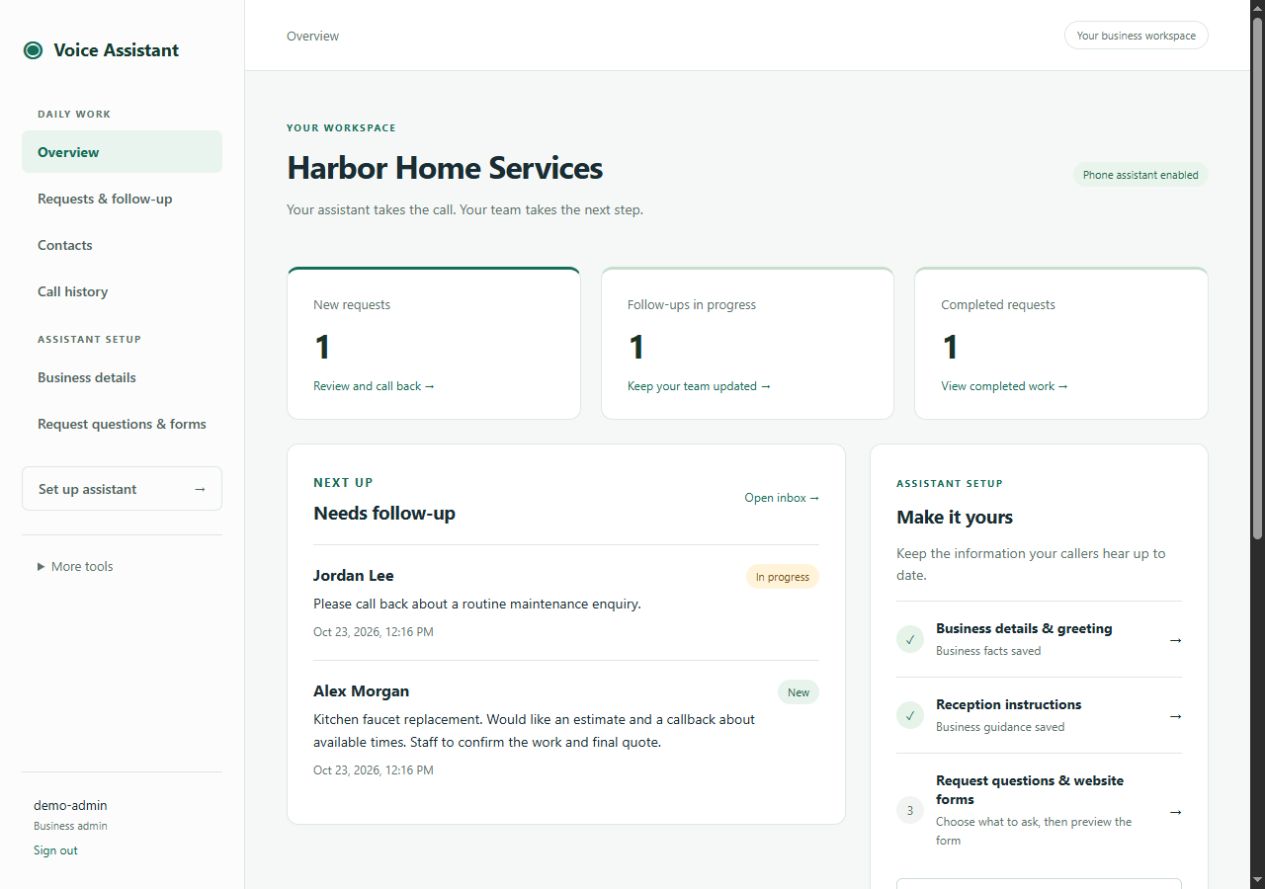
The screens below come from an isolated example installation for Harbor Home Services. Names, contact details, requests, calls, and notification activity are fictional. They show the current workspace without exposing a real business.
A first hello. A clear next step.
Your receptionist handles the opening conversation. The workspace gives your people the details they need to follow through. Start with this ordinary quote enquiry:
“I’d like an estimate to replace a kitchen faucet. Can someone call me about the work?”
- 01 / CONVERSATION
Collect and confirm.
The receptionist asks for the caller’s name, agreed contact details, and what they need. A completed request is confirmed before saving.
- 02 / SAVED REQUEST
The details arrive together.
The saved quote appears in Requests & follow-up. If quote email alerts are enabled and connected, an alert is queued too.
- 03 / TEAM FOLLOW-UP
A person takes the next step.
Open the request, check the confirmed phone or email, and contact the caller. Record progress and team notes as you go.
- 04 / CLOSE THE LOOP
Keep the team current.
Mark the request Completed when the follow-up is finished. Reopen it if more work is needed. Your staff approve prices and appointments.
Start with the job you want to do.
Get ready for your first call.
Prepare your business information, agree the call flow, and test a complete request.
02 / BUSINESS INFORMATIONKeep the first hello accurate.
Update the greeting, public facts, intake guidance, and approved human destinations.
03 / DAILY WORKReview and follow up.
Find requests, use agreed contact details, add team notes, and update progress.
04 / INTAKEAsk for useful details.
Choose request questions and preview their matching website form.
05 / OPTIONAL TOOLSChoose who answers.
Understand assistants, permissions, handoffs, and optional staff PIN access.
06 / OPERATIONSKeep the service working.
Manage notifications, roles, privacy, and support responsibilities.
One workspace, two ways to run it.
With managed reception, BrackerTech handles hosting and application maintenance. With a self-hosted deployment, your team operates the agreed infrastructure. The business workflow still starts with accurate information and ends with a staff follow-up.
A clear picture of what your team does, which settings you can maintain, and when to involve your administrator or BrackerTech.
Call (760) 400-7858 or describe your business workflow. Your private workspace link is provided during onboarding.